










Microsoft Sudoku
 Our free daily · new every day Sudoku A fresh grid every day, at five levels Play
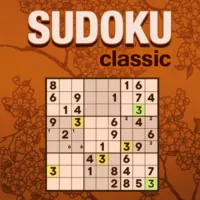
 Microsoft Sudoku sticks close to the number puzzle you already know, but it's built with enough support tools that it works just as well for someone solving their first grid as it does for a longtime Sudoku player. The core rule never changes: fill the 9x9 board with the digits 1 through 9 so that no number repeats in any row, column, or 3x3 box. What sets this version apart is the amount of help available if you want it, from a notes system that behaves like pencil marks on paper to an undo button for correcting slip-ups without restarting the whole puzzle. Beyond the standard Classic mode, there's an Irregular variant where the 3x3 regions are oddly shaped instead of square, plus an Ice Breaker mode that adds a visual twist by cracking ice across the board as you place correct numbers. Daily challenges across all three modes give you a reason to come back, and your solve times and games played are tracked if you like keeping an eye on your progress over time.
How to play Microsoft Sudoku
Basic rules
- Fill every empty square with a number from 1 to 9.
- Each number can only appear once in any given row, once in any column, and once in each 3x3 box.
- The puzzle is solved when every square is filled correctly according to those rules.
Choosing how you play
- Pick a difficulty level, from beginner-friendly up to expert.
- Choose between Classic Sudoku, Irregular Sudoku (with oddly shaped regions instead of square boxes), or Ice Breaker mode.
- You can select a square first and then a number, or pick a number first and then place it — whichever order feels more natural.
Using the tools
- Turn on notes to pencil in candidate numbers for a square, similar to writing small numbers in the corner on paper.
- Use undo if you make a mistake instead of erasing manually.
- Turn on settings like Show Mistakes or Block Duplicates if you want the game to flag errors as you go.
Tips and strategy
Start by scanning for rows, columns, or boxes that are almost full — those narrow down the missing number the fastest and give you a foothold on a fresh grid. Lean on the notes feature early rather than guessing; jotting down every number that could still fit a square helps you spot squares where only one candidate remains, which is usually your next safe move. Work through easier difficulties before jumping to expert, since the higher levels expect you to use more advanced elimination logic rather than relying on obvious single candidates. If you're tackling Irregular Sudoku, remember the row and column rules still apply on top of the irregular regions, so don't get so focused on the odd shapes that you forget to check the straight lines too.
More games like this




Play our free daily puzzles See all →
Made by us. One a day, the same for everyone, no sign up.



Last updated
Frequently asked questions
What are the rules of Sudoku?
Fill the 9x9 grid so every row, column, and 3x3 box contains the numbers 1 through 9 with no repeats.
What's the difference between Classic and Irregular Sudoku?
Classic uses standard square 3x3 boxes, while Irregular keeps the same row-and-column rules but shapes the regions irregularly instead of as squares.
What is Ice Breaker mode?
It's a variant where placing correct numbers sends shockwaves across the board that break through ice covering the grid, adding a visual layer to standard Sudoku rules.
Can I take notes in Microsoft Sudoku?
Yes, there's a notes tool that lets you pencil in possible numbers for a square, and it updates automatically as you fill in other squares.
Is there a way to fix a mistake without starting over?
Yes, you can use undo to remove an incorrect entry instead of resetting the whole puzzle.
Does Microsoft Sudoku have daily puzzles?
Yes, there are daily challenges across the different modes that you can play for coins and badges.